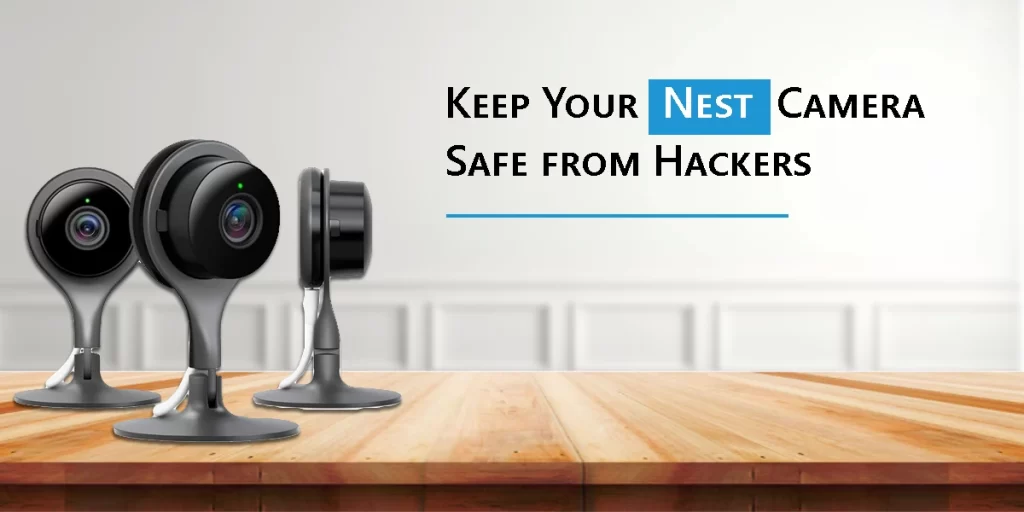
Smart home appliances like Google Nest cameras have become a necessary component of our everyday life in today’s digitally-first society. These cameras offer convenience and peace of mind for everything from watching your front entrance to keeping a check on your pets or loved ones. But with any gadget with an internet connection, there’s always a chance of hacking and illegal access. Therefore, knowing how to ensure that your Nest Camera is Safe from hackers and shielded from vulnerabilities is essential.
In this post, we’ll go over Nest camera vulnerabilities, provide Google Nest cameras security tips, and demonstrate how to use tools like Nest subscription to add additional security layers. By the conclusion, you will have the know-how to maintain the security of your smart home.
Knowing the Dangers: What Constitutes a Nest Camera Vulnerability?
Let’s define “Nest camera vulnerability” before moving on to remedies. To put it simply, it refers to any system flaw that hackers may use to access your device without authorization, such as an old firmware version, a weak password, or unsecured Wi-Fi.
Typical vulnerabilities include the following:
- Weak or repeated passwords: Hackers sometimes try “credential stuffing,” which involves using username/password combinations that have already been disclosed.
- Unsecured Wi-Fi networks: An unprotected home Wi-Fi network gives hackers a point of access.
- Outdated software or firmware: Ignoring updates results in the loss of important security fixes.
- Phishing scams: You might be tricked by hackers into divulging your login credentials.
Preventing these vulnerabilities begins with understanding them.
You can significantly lower the danger and ensure the safety of your Nest Camera by using the right security measures.
The Google Nest Cameras Security Tips
Let’s go over practical measures you may take to improve the security of your device now that you are aware of the potential problems.
1. Make Use of Secure, Distinct Passwords
Establishing a secure password for your Google account is the simplest yet most effective approach. Steer clear of easy passwords like password or 123456. Use an amalgamation of capital and lowercase letters, digits, and special characters instead. Additionally, confirm that this password hasn’t been used for another account.
Advice: You can generate and safely save strong, unique passwords with the aid of a keyword manager.
2. Turn on two-factor verification (2FA).
A second line of protection is added by using two-factor authentication. Without the extra verification code given to your phone, even if someone manages to guess your password, they will still be unable to access your Nest account.
To make 2FA active:
- Go to the settings for your Google Account.
- Click on “Security.”
- Activate the two-step verification.
3. Maintain Up-to-Date Software
In order to address known Nest camera vulnerabilities and enhance system performance, Google often issues updates. Develop the practice of making sure the Nest app and your device are both running the most recent versions.
Updates frequently occur automatically, but use the app to verify on occasion. Having an updated system guarantees that your camera takes advantage of Google’s most recent security enhancements.
4. Protect Your Wireless Network
Your home network is an essential line of protection because your Nest camera depends on Wi-Fi. Make it stronger by:
- Modifying the default login information on your router.
- Replace the antiquated WEP encryption with WPA3 or WPA2.
- Changing the firmware on your router regularly.
- Establishing a distinct guest network for guests to prevent them from accessing your primary devices.
5. Keep an Eye on Account Activity
You may examine sign-ins and account activity on Google. Examining this often enables you to identify odd logins. Immediately update your password if you see strange activity.
6. Restrict Camera Exchange
Limit rights to trusted persons alone, even though it’s handy to share camera access with family members. Excessive sharing may make unwanted access more likely.
7. When not in Use, Turn Off the Camera.
Turn off the camera if you’re at home and don’t require surveillance. As a result, hackers have a shorter window of opportunity to target your device.
8. Make a Nest Aware Subscription Purchase
Signing up for Nest Aware is one of the best ways to improve the security and usefulness of your Nest camera.
The Nest Aware membership offers the following:
- Intelligent alerts: Receive more intelligent notifications that can distinguish between things, people, and animals.
- Cloud storage: Store video footage safely, making it more difficult for hackers to alter or remove local data.
- Nest Aware Plus: Nest Aware Plus’s familiar face identification feature can identify well-known people and warn you of new faces.
- Nest Aware subscription: In addition to improving convenience, upgrading to a Nest subscription adds an extra layer of security to guarantee the safety of your Nest camera.
How to Proceed If You Think Your Nest Camera May Have Been Hacked
Even with the finest safeguards, it’s a good idea to know what to do if you suspect foul play. What to do is as follows:
- Disconnect the camera: To halt live broadcasts, disconnect your Nest camera right away.
- Modify the password for your Google account: Make sure the new password is both distinct and strong.
- Turn on 2FA: If it isn’t already enabled, turn on 2FA to further secure your account.
- Verify the activities on your account: Check for strange login attempts or devices.
- Reinstalling the Nest app: Reinstalling the Nest app after a reset might remove any unlawful settings.
- Get in touch with Support: They can help you take further safety precautions and restore account security.
Convenience and Security in Balance
It’s critical to keep in mind that smart home technology is meant to simplify, not complicate, your life. You may achieve the ideal mix between convenience and security by putting these Google Nest camera security suggestions into practice. You may feel secure knowing that your Nest Camera is safe from hackers with preventative measures and the extra advantages of services like the Nest subscription.
Concluding Remarks
Nest cameras and other smart home appliances are effective security and comfort aids. However, they have hazards, just like any other technology. Being proactive—identifying Nest camera weaknesses and tackling them head-on with Wi-Fi security, 2FA, strong passwords, and frequent updates—is crucial.
Your system may be further improved with a Nest Aware membership, which will provide you with more intelligent warnings, greater storage choices, and peace of mind.
By taking these precautions, you can rest easy knowing that your Nest Camera is safe and concentrate on what truly counts: keeping your family and house safe.
FAQs
Is it possible to hack Nest cameras?
Indeed, if not adequately protected, Nest cameras, like any other internet-connected device, may be at risk. Hacking threats are greatly reduced by using sturdy keywords, two-factor verification, and recurrent updates.
How can I tell if my Nest camera has been compromised?
Hacking may be indicated by strange account activity, strange devices accessing your feed, or altered settings without authorization. Update your password right away, turn on 2FA, and get assistance from Google support.
Does Nest Aware enhance the security of cameras?
Indeed. By offering intelligent alarms, encrypted cloud storage, and recognizable face identification, a Nest subscription improves security by lowering the possibility of tampering and guaranteeing the safety of your recorded video.
How can I secure my Nest Camera the best?
Use strong, unique passwords, turn on two-factor authentication, encrypt your Wi-Fi, update your software frequently, and think about signing up for Nest Aware for extra security to keep your Nest Camera safe.